
Enable the API
Where to find your API key
-
Go to Account Settings
-
Click API Details
-
Click Enable
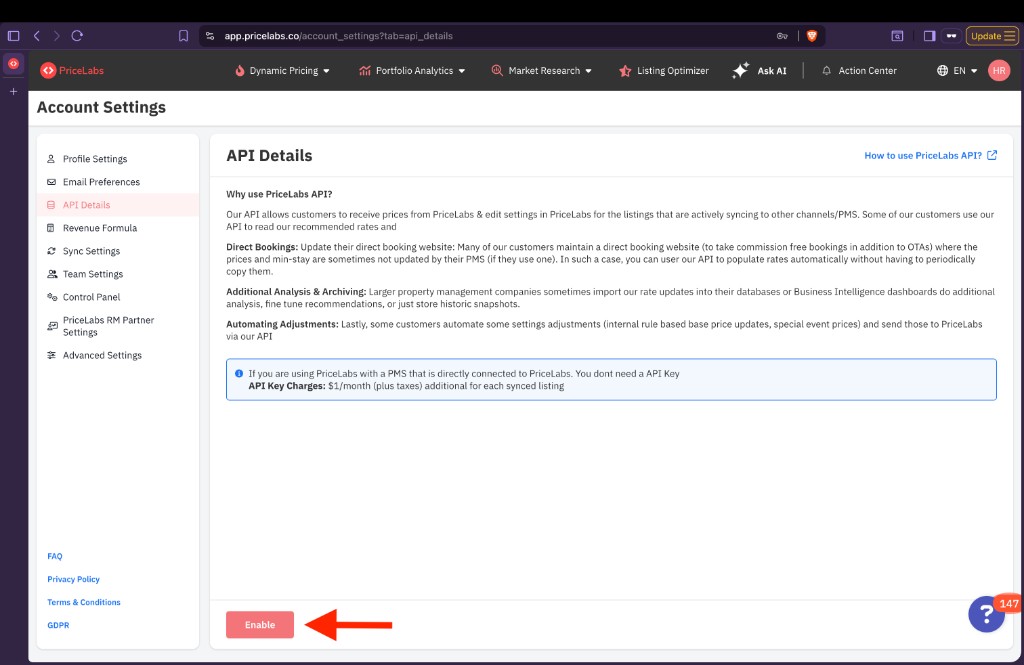
- Select I Need API Access
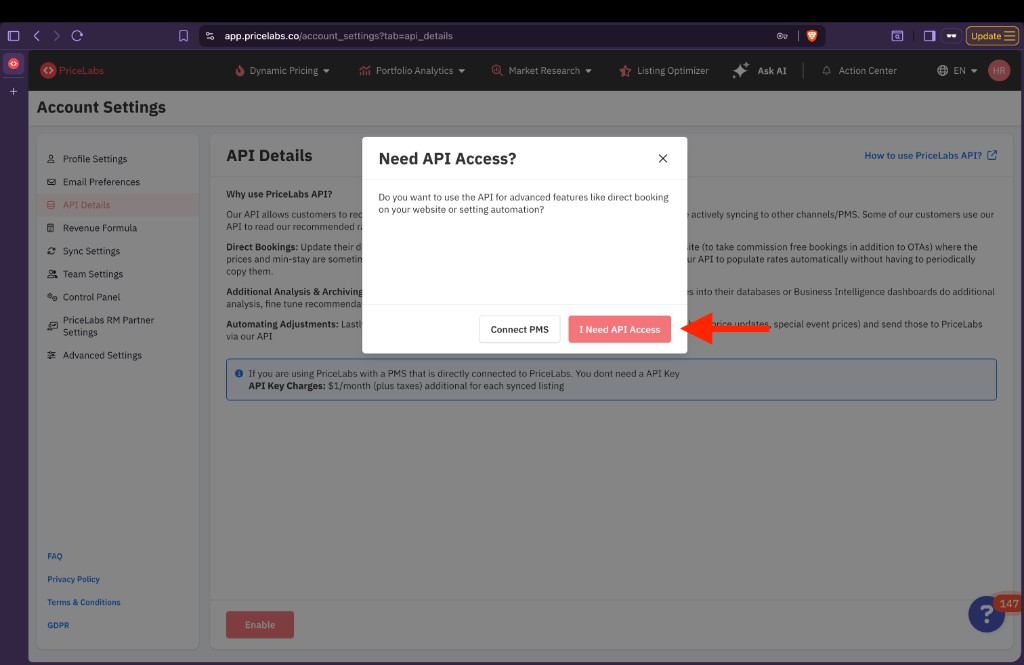
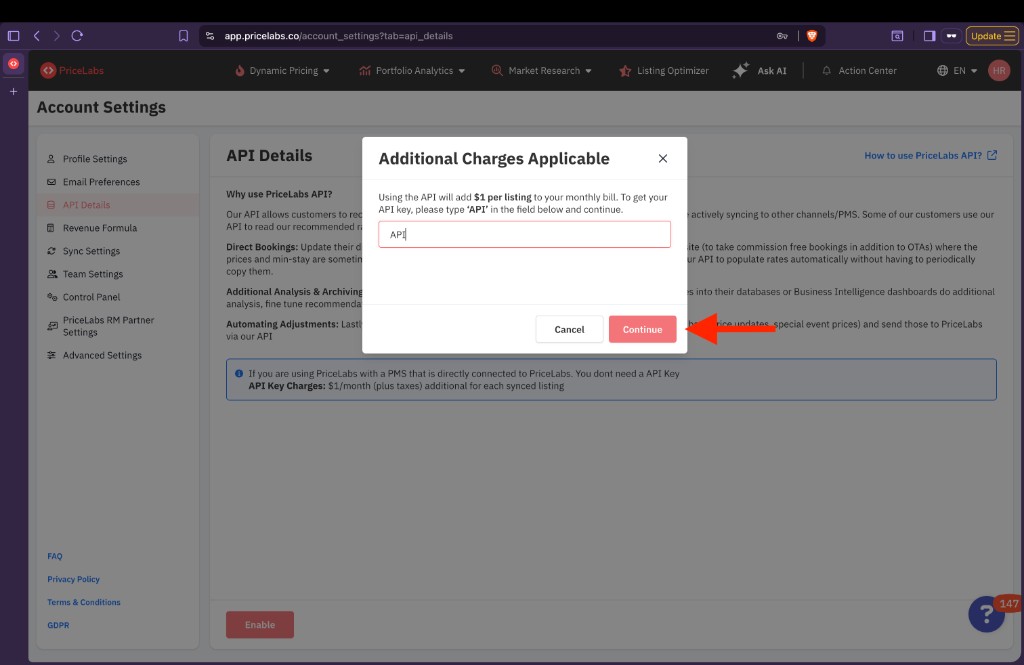
- Enter API in the confirmation field, then click Continue
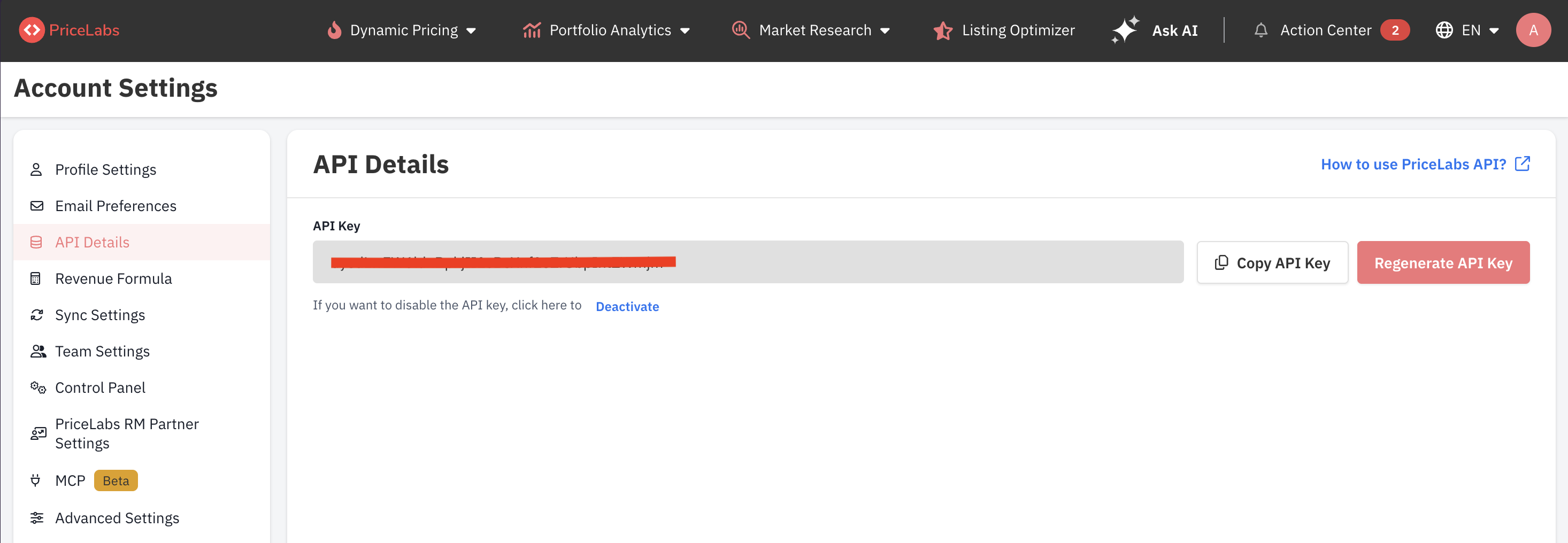
Once enabled, your API key appears on the same page. Use Copy API Key to copy it, or Regenerate API Key if you need a new one.
Team member API access
Account owners can grant Customer API access to team members (sub-users) from Account Settings → Team Settings. Once access is granted:
- Each team member can generate their own API key from Account Settings → API Details.
- Requests made using a team member’s API key adhere to the same permissions the account owner has assigned to that team member on the UI. For example, if a team member only has access to a subset of listings, their API key will only return data for those listings.
Only the account owner can enable or revoke API access for team members. Team members cannot enable API access on their own.
Authentication
Once the Customer API is enabled for your PriceLabs account, copy your API key from Account Settings → API Details and send it as the X-API-Key header on every request.
Rate Limiting
Each Customer API key is limited to:
- 60 requests per minute
- 1,000 requests per hour
Exceeding these limits returns a 429 Too Many Requests response.
API rate limits are applied to ensure platform stability and performance. If your use case requires higher rate limits, please contact our support team with details of your business requirements. Requests for increased limits are reviewed on a case-by-case basis and approval is subject to evaluation by our team.
Timeout configuration
Processing time can vary depending on server load. We recommend setting your client timeout to 300 seconds to allow for potential delays, even though we aim to respond within that timeframe.
API usage charges
We charge $1 per listing per month (plus applicable taxes) for each listing that syncs prices during a billing month.
Video tutorial
Next steps
- Browse the API Reference for all available endpoints