
Disconnect from Claude
Disconnect the PriceLabs MCP integration when you no longer need access, want to revoke permissions, or plan to reconnect with updated credentials or access levels. Depending on your goal, you may need to disconnect in both PriceLabs and Claude.
Disconnecting in Claude alone stops new tool calls in future chats, but it does not change your read or write permissions. To change permissions, disconnect from PriceLabs first (Account Settings → AI Connector (MCP)), then reconnect in Claude and choose the access level you want. See Connect to Claude.
Disconnect in PriceLabs
Use this when you want to fully revoke the integration or change read/write permissions before reconnecting.
1. Open MCP settings
Sign in to PriceLabs and go to Account Settings → AI Connector (MCP).
2. Disconnect
Click Disconnect on the Claude Integration card.
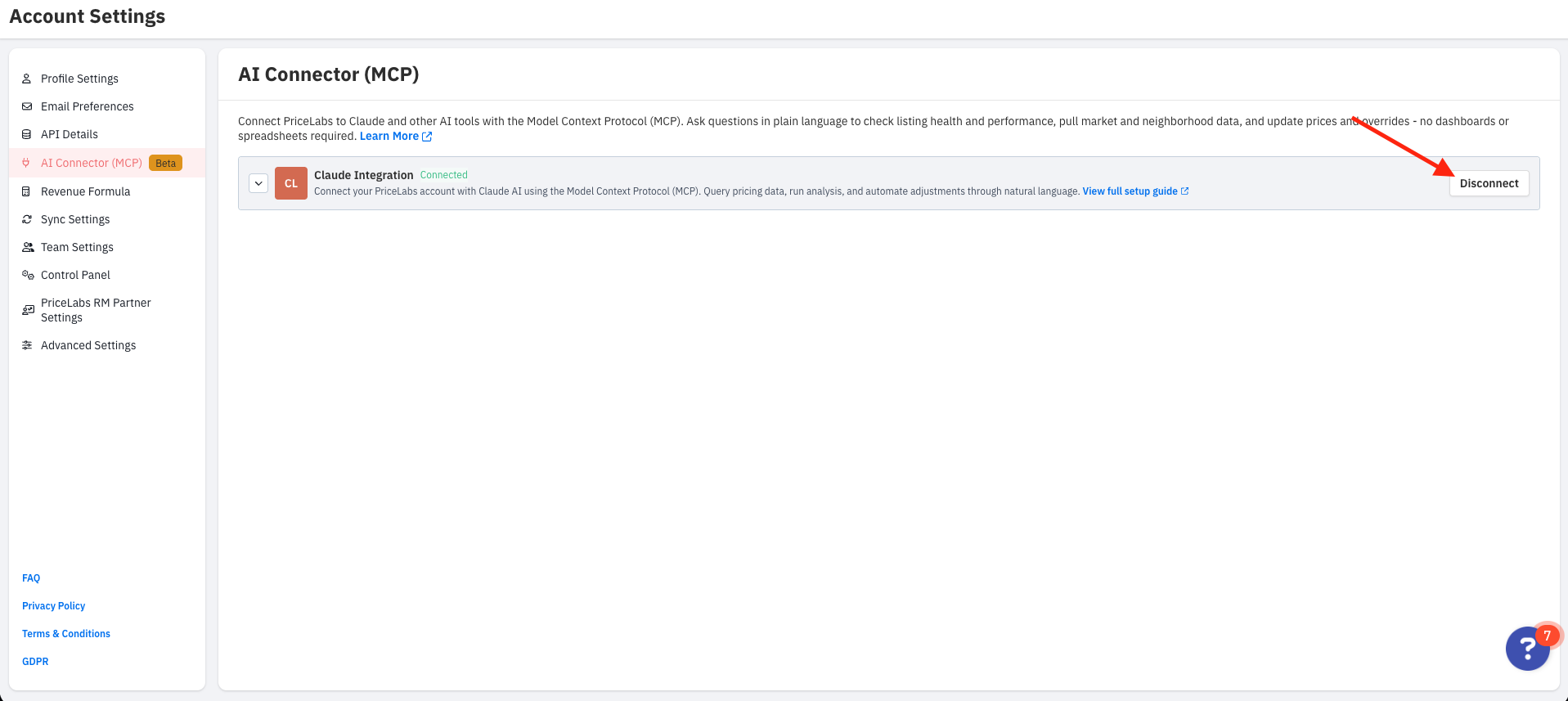
To change permissions, disconnect here first, then follow Connect to Claude to reconnect and select Read access and/or Write access again.
Disconnect in Claude
Use this to remove the PriceLabs connector from Claude. If you also disconnected in PriceLabs, complete both steps for a full removal.
1. Log into Claude
Go to claude.ai and sign in to your account.
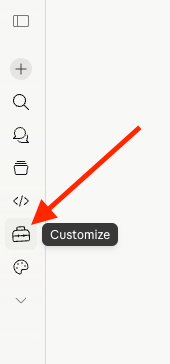
2. Open Customize
Look for the Customize icon (the briefcase) in the left sidebar and click it.
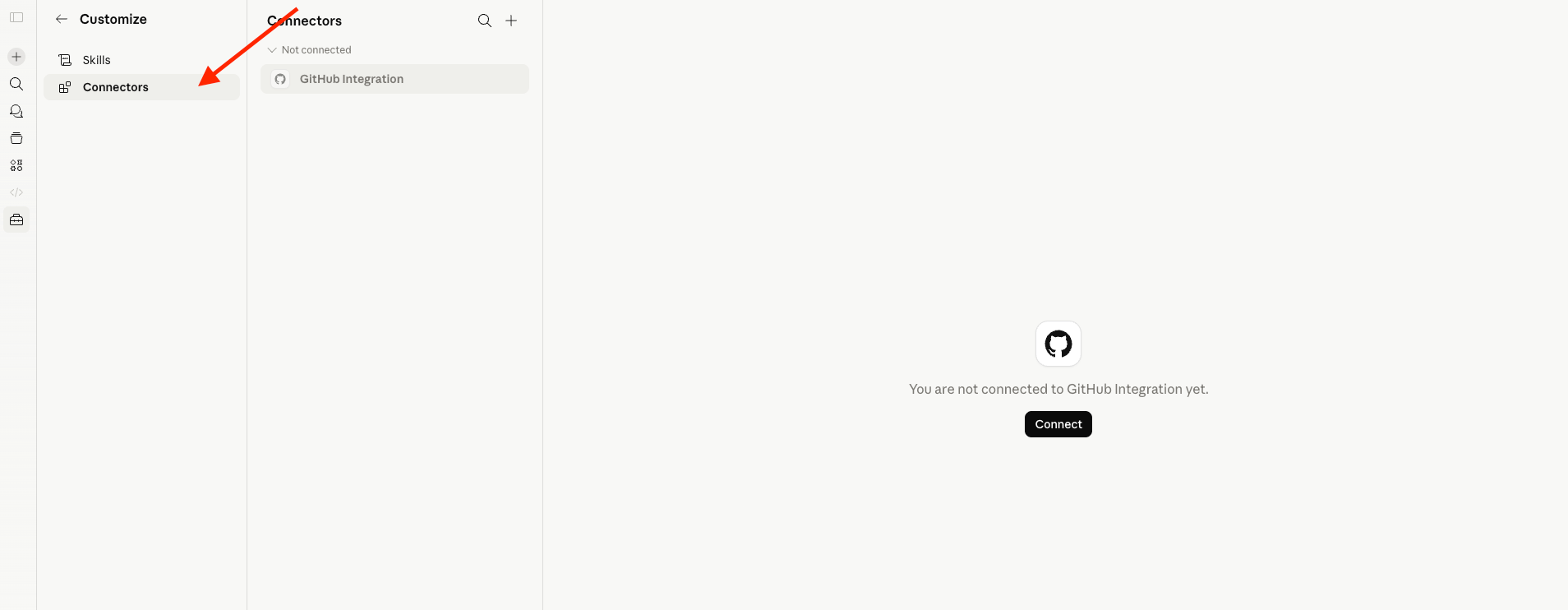
3. Go to Connectors
Inside the Customize menu panel, select the Connectors tab.
4. Select your PriceLabs connector
Under Web, click your PriceLabs MCP connector (for example, PriceLabs MCP or PL Prod - MCP Server).
You should see the connector URL (https://mcp.pricelabs.co/mcp) and the list of available tools.
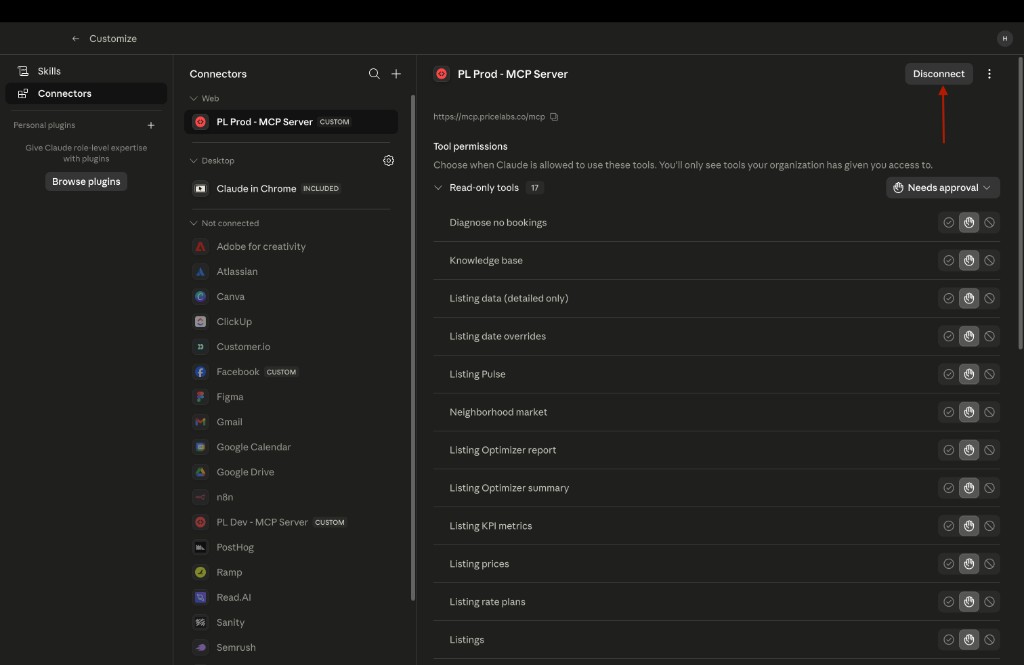
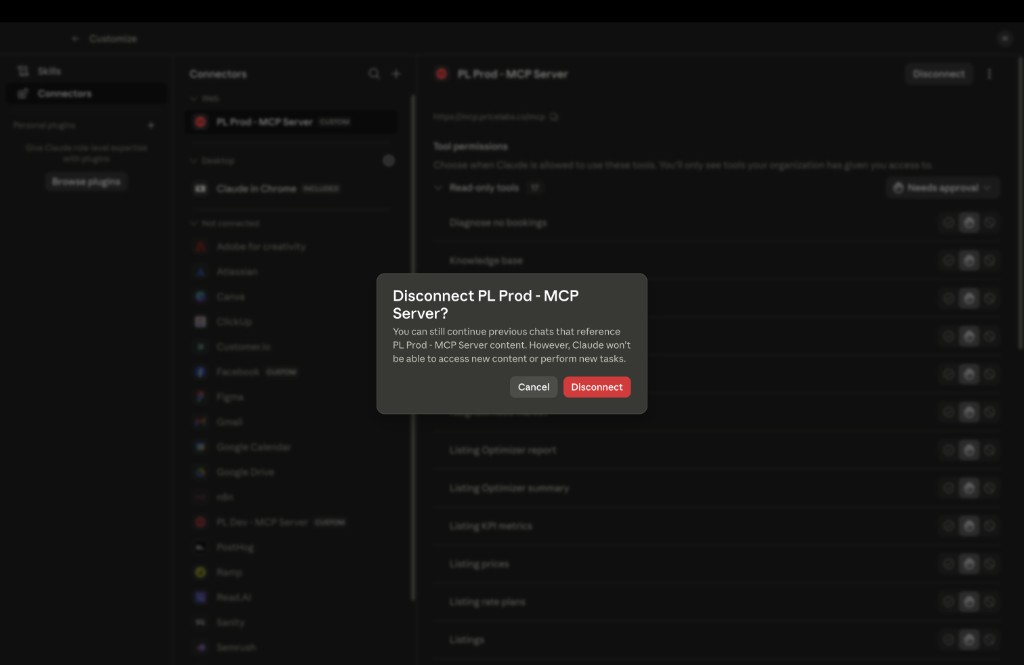
5. Confirm disconnect
Click Disconnect in the top-right corner of the connector page.
Claude will ask you to confirm. Click Disconnect again in the dialog to complete the removal.
After disconnecting
- New chats will no longer have access to PriceLabs MCP tools.
- Previous chats that referenced PriceLabs data may still show earlier results, but Claude cannot run new PriceLabs actions.
- To use PriceLabs MCP again, disconnect in PriceLabs if needed, then follow Connect to Claude and authorize a fresh connection.